Time Pass Logo
  • Tech
    Performance
  • Generators
    Baby NameStartup NameResume HeadlineWifi PasswordWebsite Name
Subscribe
Log In

Timepass

Timepass is a space to relax, explore the latest tech, trends, and products, and read insightful blogs. Questions? Email timepassfyi@gmail.com.

TwitterFacebookLinkedInInstagramYouTube

Explore

  • Performance
  • Tech
  • Generators

Company

  • About Us
  • Contact
  • Advertise

Legal

  • Privacy Policy
  • Terms of Service
  • Cookie Policy
  • Disclaimer

© Timepass 2025. All rights reserved.

↑ Back to top
Tech

What is Google Tag Manager

Here is the simple introduction regarding what Google Tag Manager is, and what its different components are

Piyush - Article Author
Piyush
May 24, 20253 min read

Introduction to Google Tag Manager (GTM)

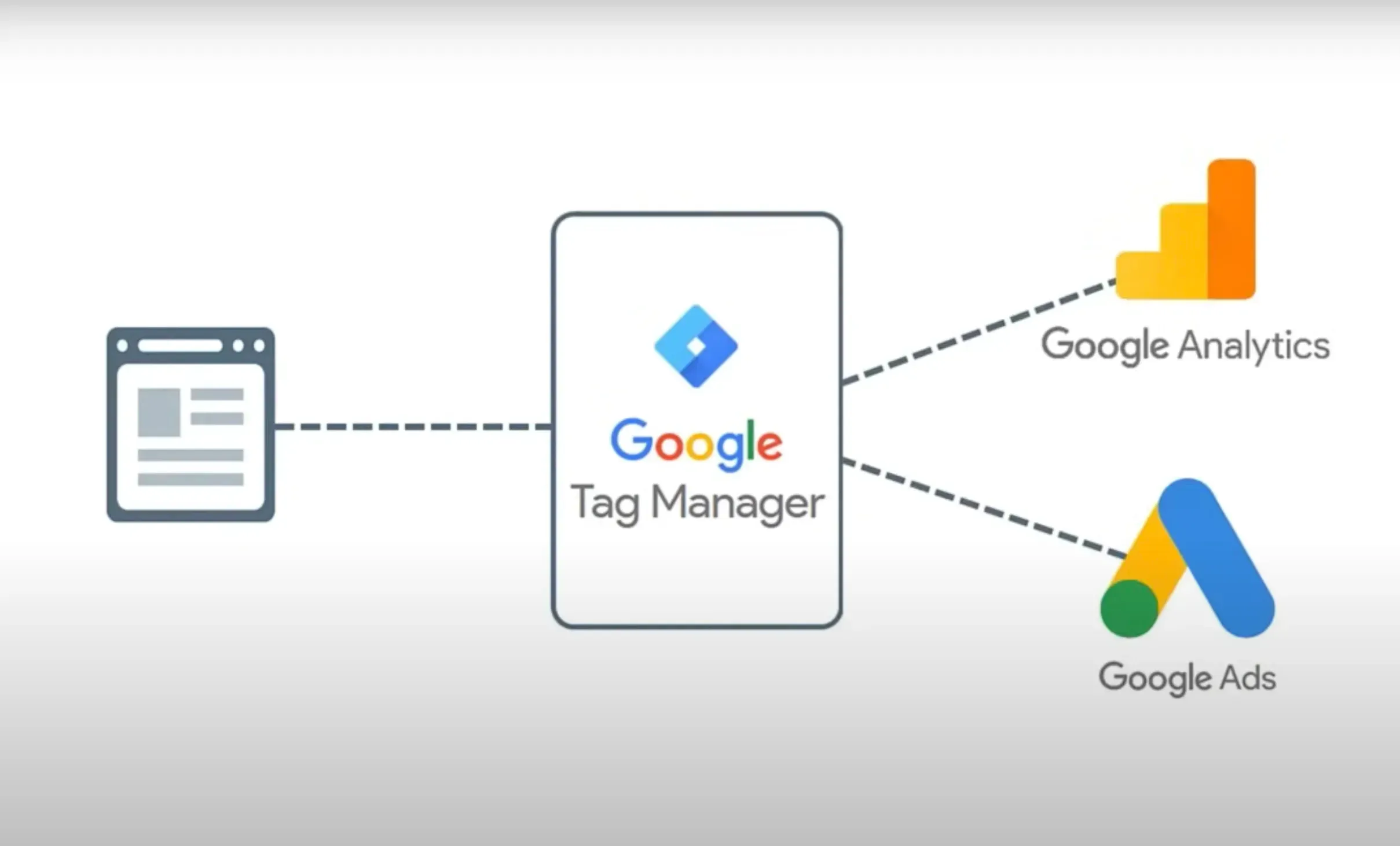
Google Tag Manager (GTM) is a free tool that allows you to manage and deploy marketing tags (snippets of code) on your website without modifying the codebase. It simplifies the process of tracking user interactions and integrating third-party services, such as analytics, conversion tracking, and marketing pixels.


GoogleTagManager.webp

Stay Updated

Get the latest news delivered to your inbox

Performance
Tag manager
Google Server Side Tagging
Google Tag Manager
Google Client Side Tagging

Read More

React Js Working

React vs. Next.js 12 vs. Next.js 13 and Next.js 14: Key Differences & Best Uses

A comprehensive guide comparing React, Next.js 12, and Next.js 13 & Next.js 14. Discover each framework’s unique features, core differences, performance aspects, and which one suits different project types best. Perfect for developers deciding on the right tech stack for 2024

By Piyush - Feb 1, 2026
📖2 min read
how-does-Initial-Server-Response-Time-work.png

Varnish : Best way to cache your content for seo pages

By Piyush - Feb 8, 2026
📖2 min read
Coding

Key Concepts in GTM

GTM consists of three main components: tags, triggers, and variables. Understanding these components is important for setting up an efficient tagging system on your website or app.

Tags

Tags are small code snippets which are added to a website to collect data and send it to third-party tools like Google Analytics, Google Ads, Facebook Pixel, etc. Tags can be used for:

  • Conversion tracking.

  • Event tracking (e.g., button clicks, video views).

  • Social media integration.


Triggers

 Triggers control when and where a tag is fired. A trigger listens for specific events or conditions (e.g., a page view, button click, or form submission) and executes the tag when those conditions are met.

Examples:

  • Page View Trigger: Fires a tag when a user views a specific page.

  • Click Trigger: Fires a tag when a user clicks on a specific element.

  • Custom Event Trigger: Fires a tag based on specific conditions defined by the user.


Variables

Variables store dynamic data used by tags and triggers. They can capture information such as the page URL, click text, or form input values. GTM includes built-in variables (e.g., Page URL, Click ID) and also allows you to create custom variables.

Examples:

  • Page URL: Captures the URL of the current page.

  • Click Text: Captures the text of the clicked element.

  • Custom JavaScript Variable: Captures complex data using custom JavaScript code.
     

TagTrigger.webp


Explanation 

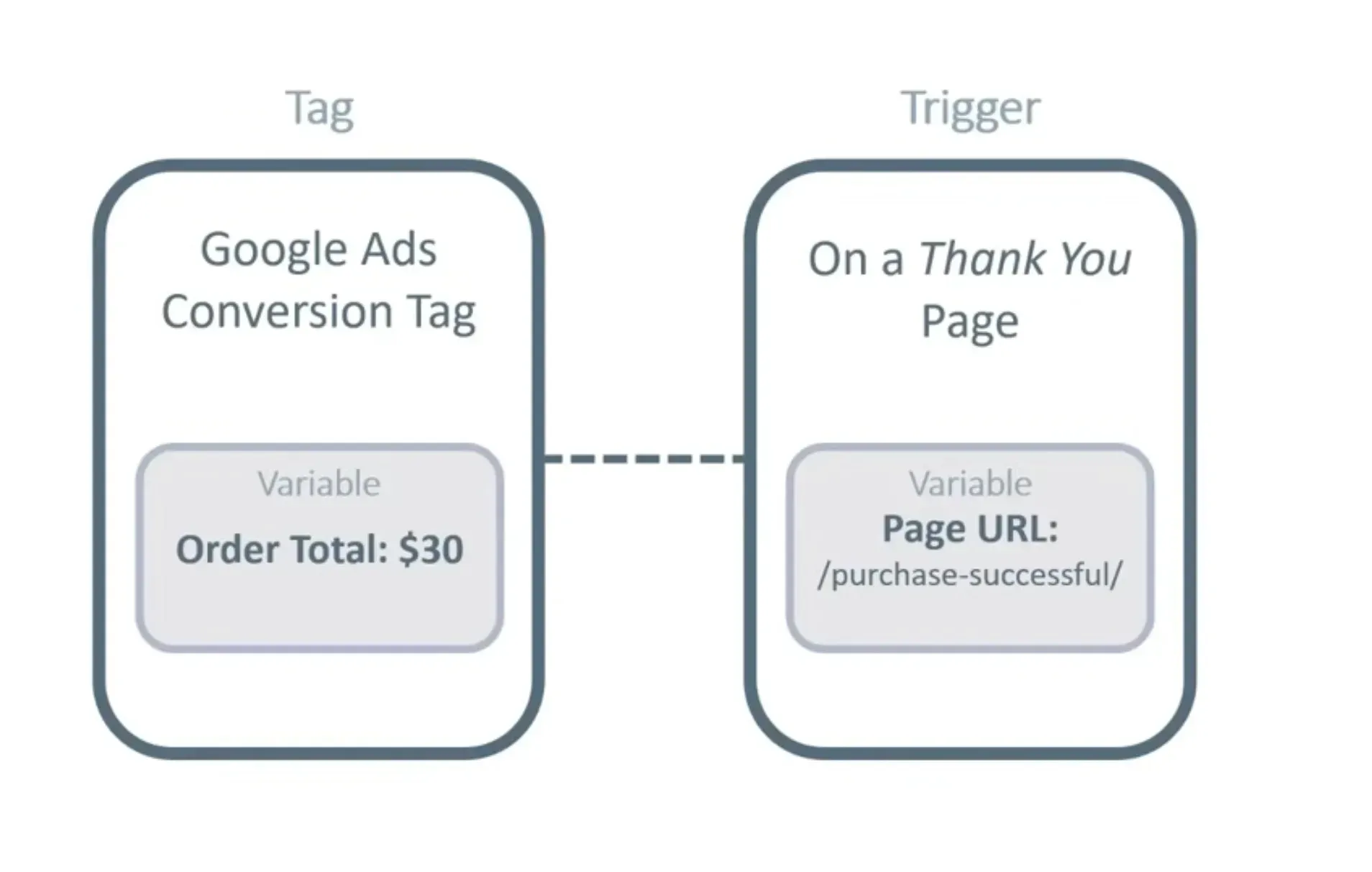
  • What ? ( a Tag) 
    Google Ads Conversion Tag

  • When ? Under what circumstances? ( A Trigger) 
    On a “Thank You” page

  • What / when / how exactly ? (A variable) 
    When page URL contains /purchase-successful/


Understanding Tagging in GTM

 Client-Side Tagging

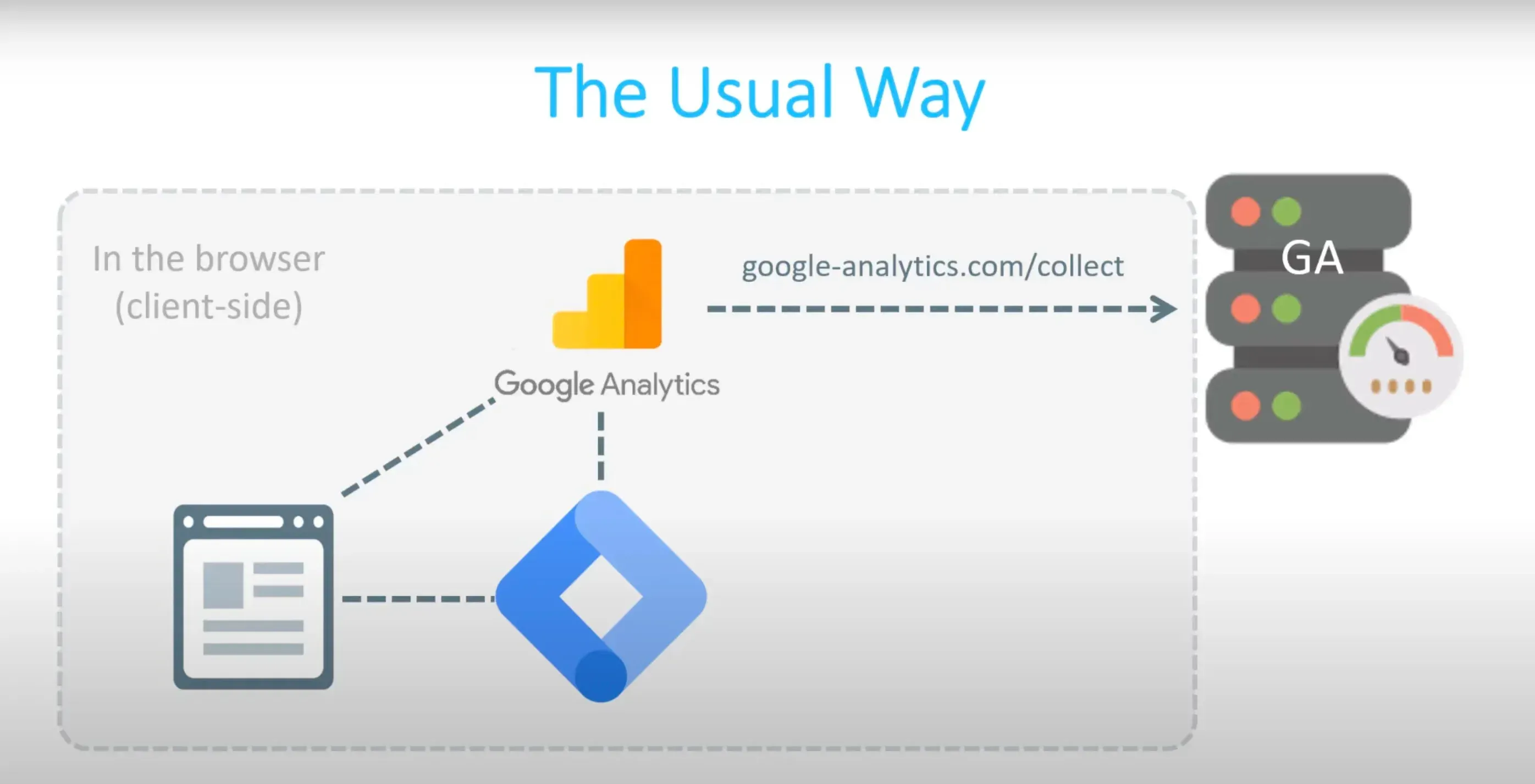
In Client-side tagging, tags are directly loaded on a website or application as a JavaScript code , which is executed in the user's browser. These tags collect data about user interactions, behavior, and other metrics and send this information to analytics, marketing, or advertising platforms. Tools like Google Tag Manager (GTM) facilitate the management of these tags, and developers just have to add the  GTM script in their website, using which other tags are loaded in the website.

clientSidetagging.webp


Server-Side Tagging

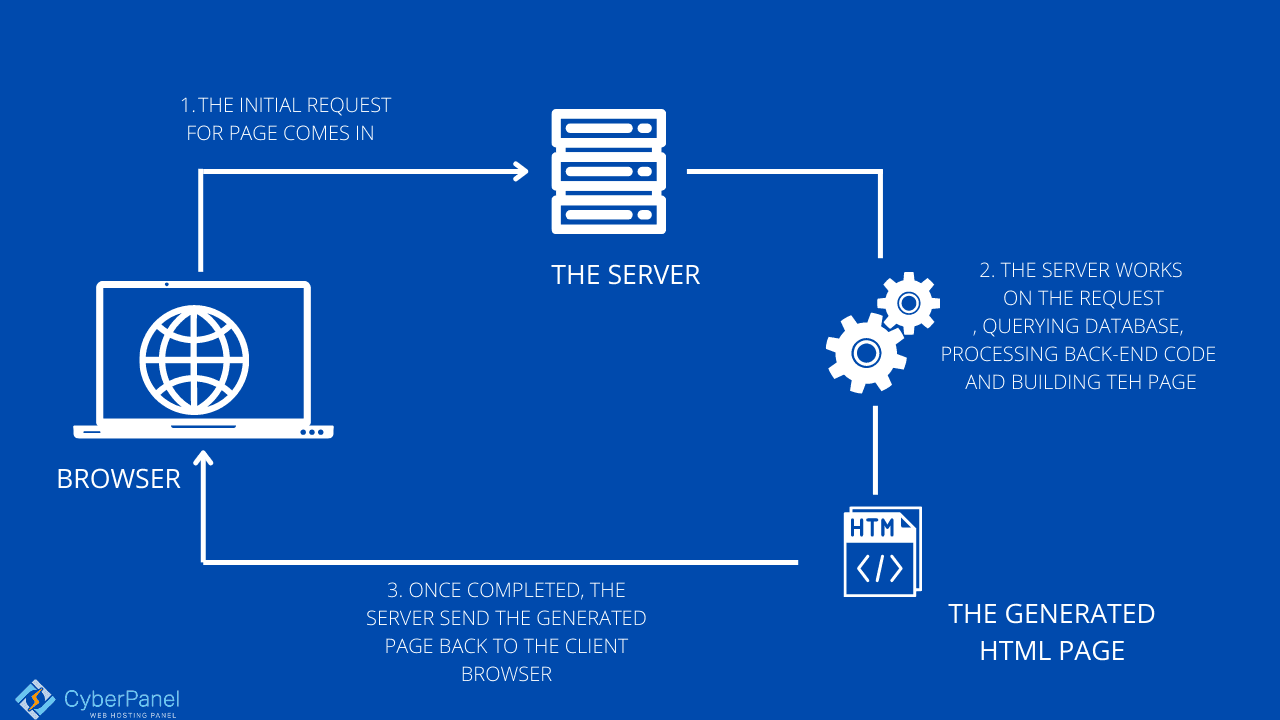
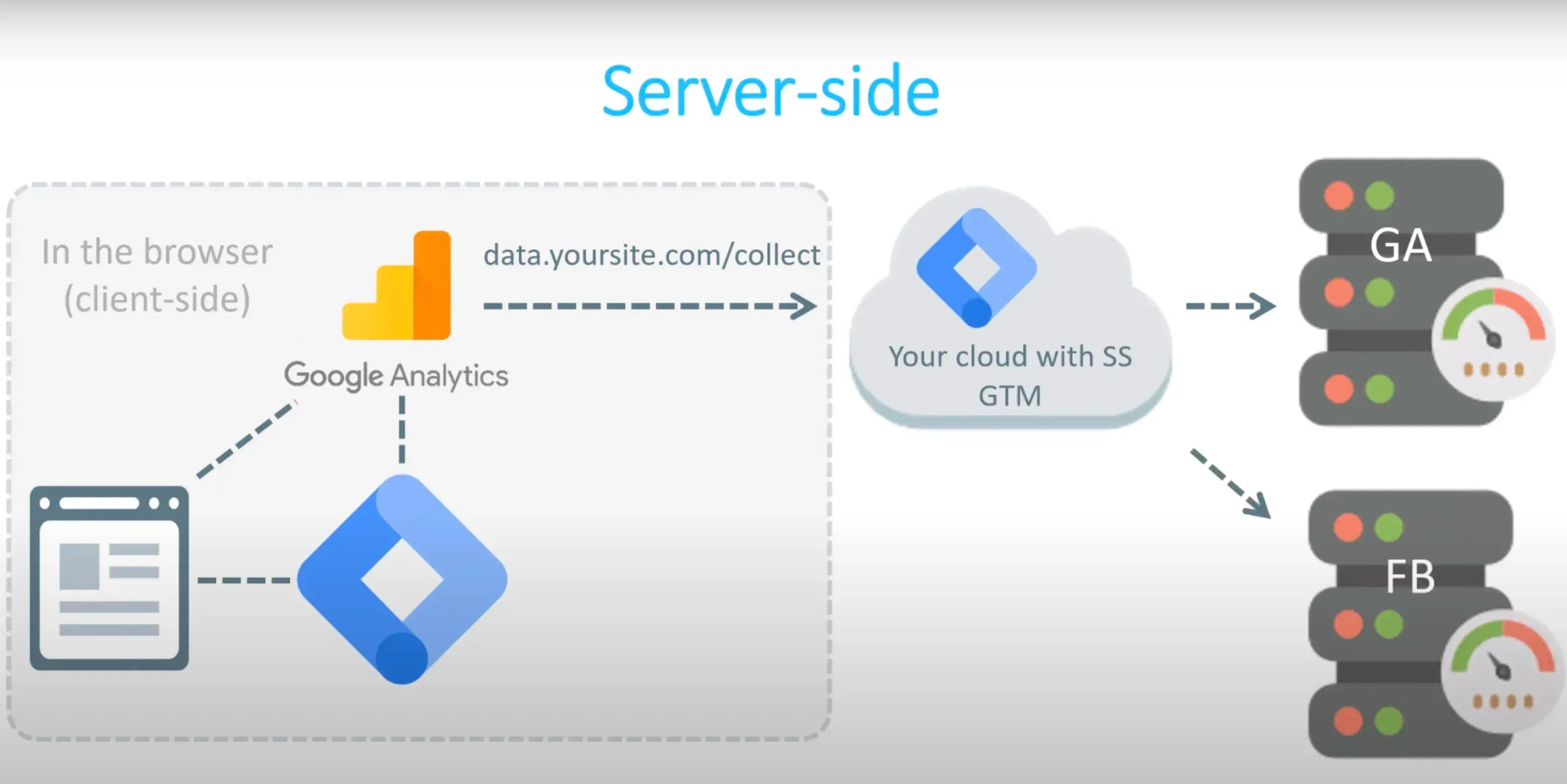
Server-side tagging is a method where tags are executed on a server rather than in the user's browser. Instead of adding multiple third-party scripts directly on your website or application, you pass data through a server you control. Tools like Google Tag Manager Server-Side facilitate the management of these tags in a server environment.

ServerSideTagging.webp

How to improve performance using inlineCSS Flag in next js

A concise guide to how we can achieve a performance boost in our web page by inlining the CSS.

By Piyush - May 23, 2025
📖3 min read
Coding

How to Inline Critical CSS in Next.js 12 & Next.js 15

A concise guide to using the new inline CSS feature in Next.js 15, comparing it with Next.js 12, and exploring its benefits and limitations for performance

By Piyush - May 23, 2025
📖2 min read